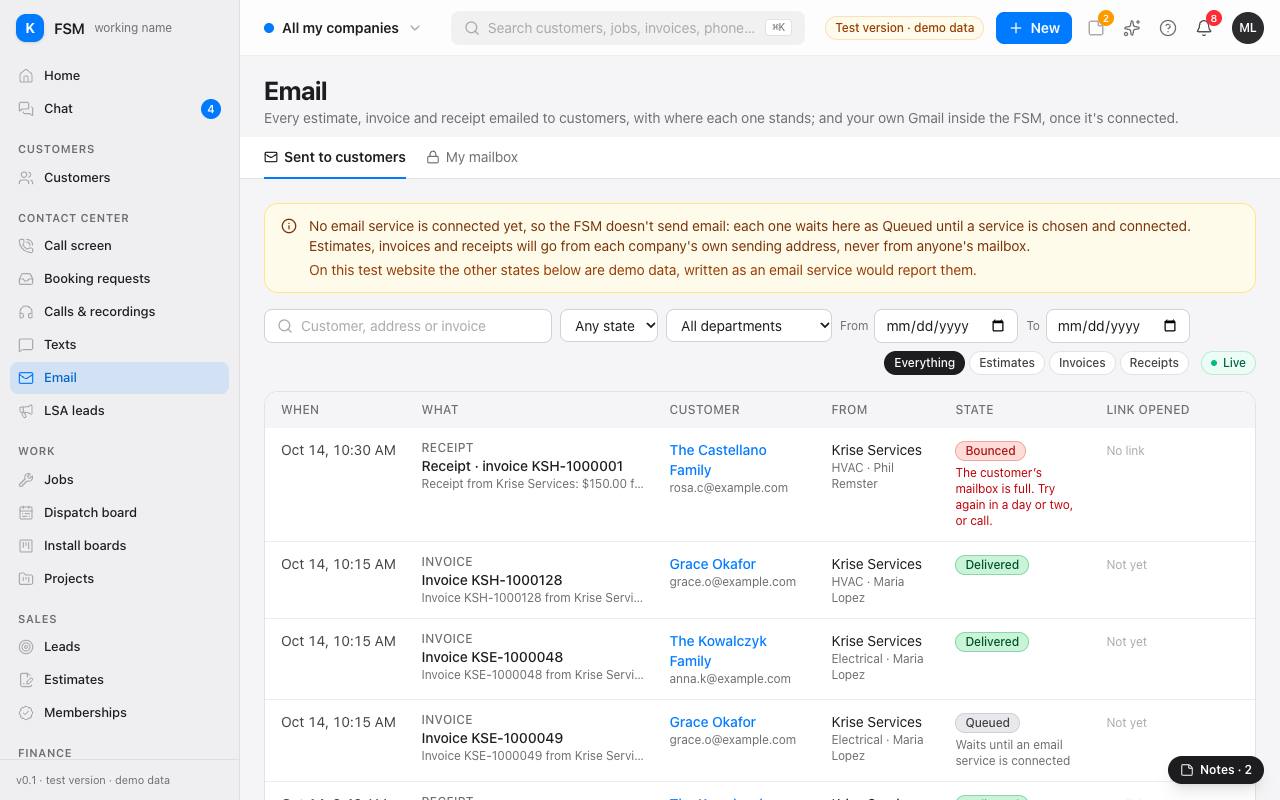
Email lists every estimate, invoice and receipt Torque emailed to customers, with where each one stands. It's under Contact Center in the menu.
Tip: no email service is connected yet, so Torque doesn't send email: each one waits as Queued until a service is connected. The yellow box at the top says so. On the test version the other states are made-up examples.
See what went to customers
- 1Open Email. Sent to customers shows the newest first: when it went, what it was, the customer and their address, which company and division sent it, its state, and when the customer opened the link.
- 2Use the company picker at the top to see one company, or all of yours.
- 3Narrow it with Everything, Estimates, Invoices or Receipts, a state, a division, or the From and To dates.
- 4Type a customer's name, their email address or an invoice number in the search box.
- 5Press Show more at the bottom for older emails.
What the states mean
- Queued: saved and waiting to go out.
- Sending: with the email service right now.
- Sent: the email service took it, with no delivery report yet.
- Delivered: the customer's mail server confirmed it.
- Bounced: the customer's mail server refused it. The red line under it says why, such as a full mailbox or an address that doesn't exist.
- Failed: it didn't go, or we couldn't confirm it did.
- Canceled: not sent, because something changed while it waited.
Tip: when one bounced, check the address with the customer before sending it again. Those that bounced or failed this week also show on Home, under Exceptions: Texts and emails that didn't reach customers. Link opened says when the customer opened the estimate or invoice link; a receipt has no link.
On a customer's page
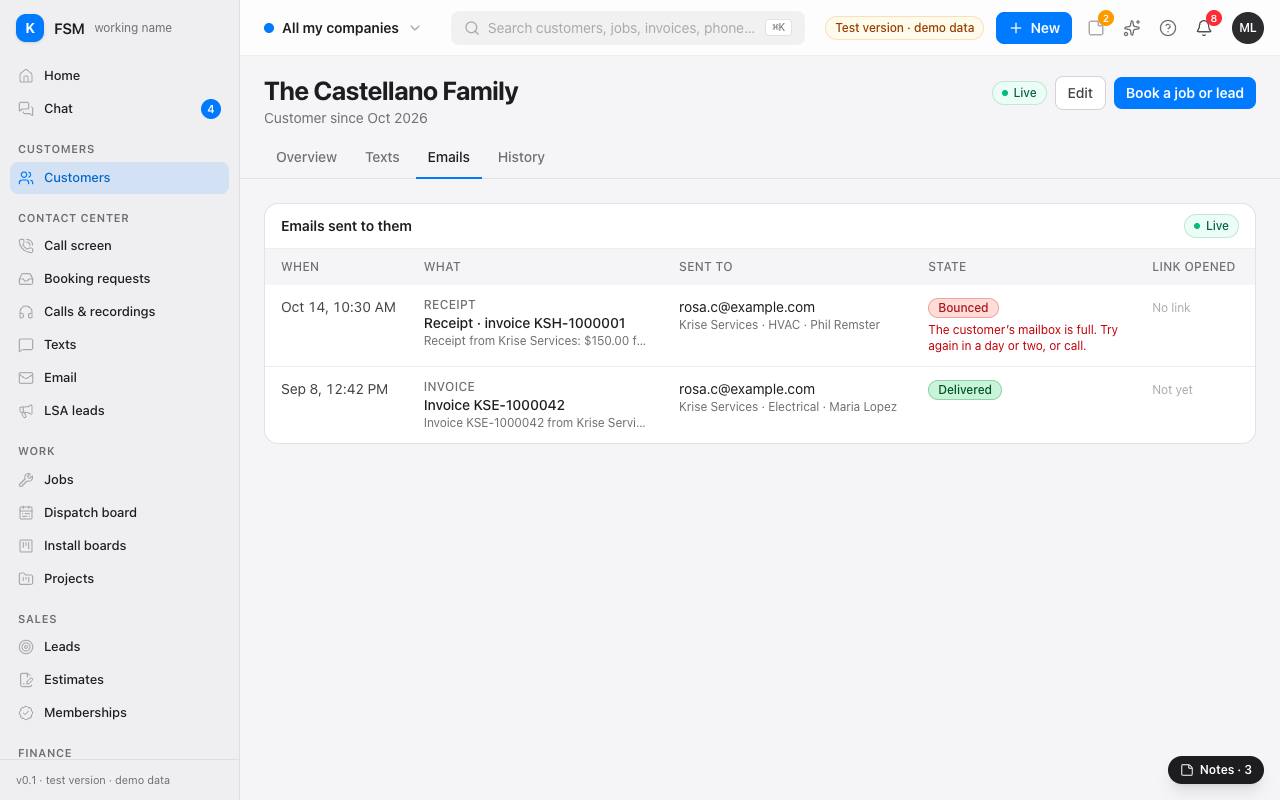
Open a customer and choose the Emails tab to see everything emailed to them, newest first, with the same states.
Your own mailbox
My mailbox is for your own Gmail inside Torque. It comes once the company's Google Workspace is set up for it; until then nothing from your mailbox is read or shown. Once it's connected, your mailbox stays private to you unless you share it.